User-friendly and efficient with the right add-ins
Revit offers a more streamlined experience for piping projects.
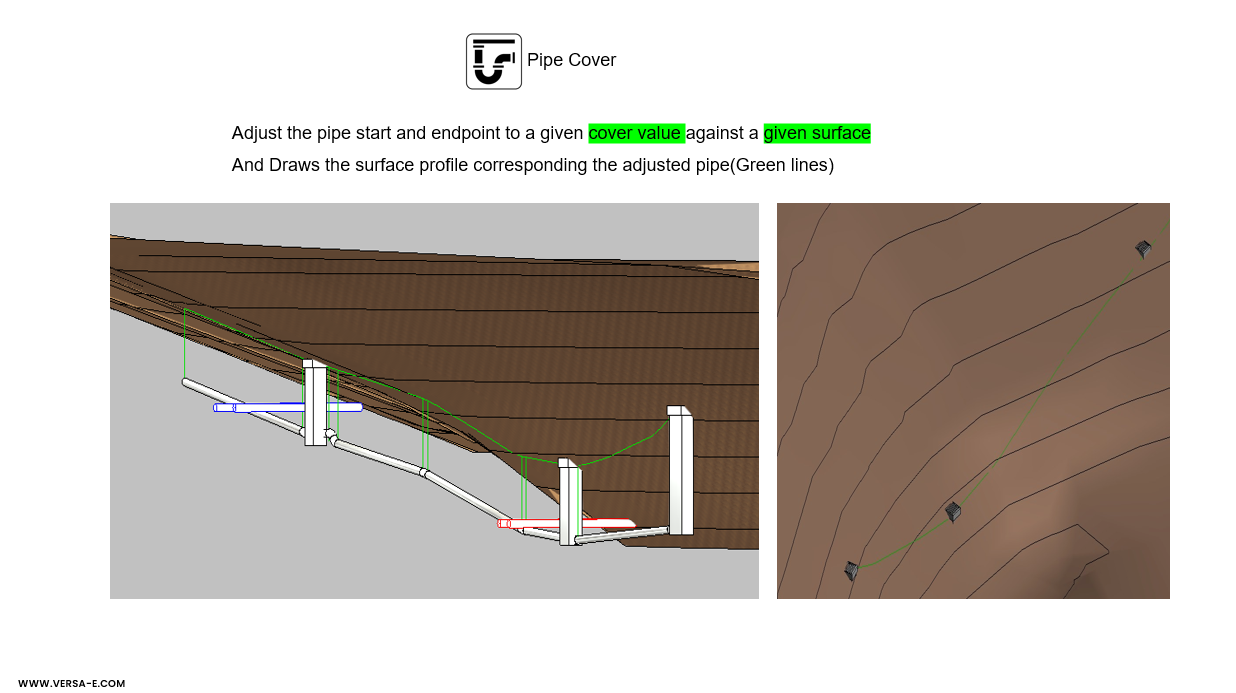
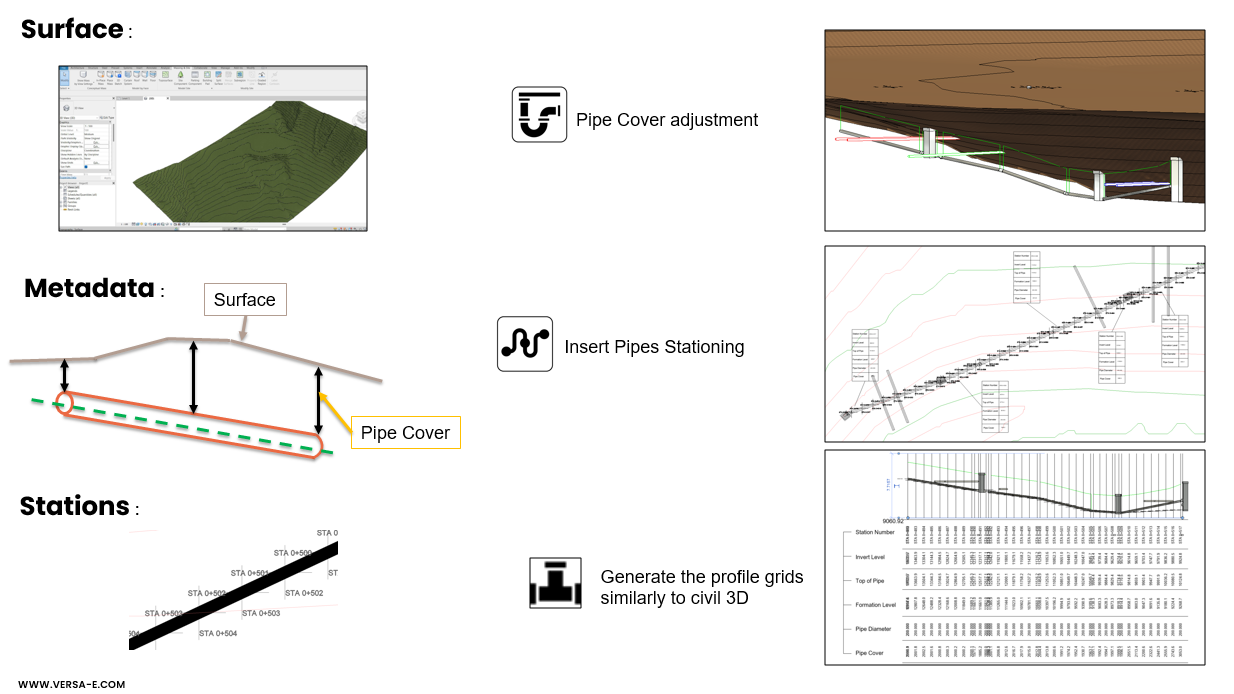
Surface-Based Pipe Cover Adjustment
Dynamic Elevation Control: Connects to Revit Toposurface or imported Civil 3D surfaces dynamically.
Surface Integration: Reads terrain data from Revit Toposurface or linked Civil 3D surfaces.
Tolerance Settings: Allows user-defined minimum and maximum cover depths for compliance with design standards.
Batch Processing: Adjusts entire pipe networks along alignments in one operation.
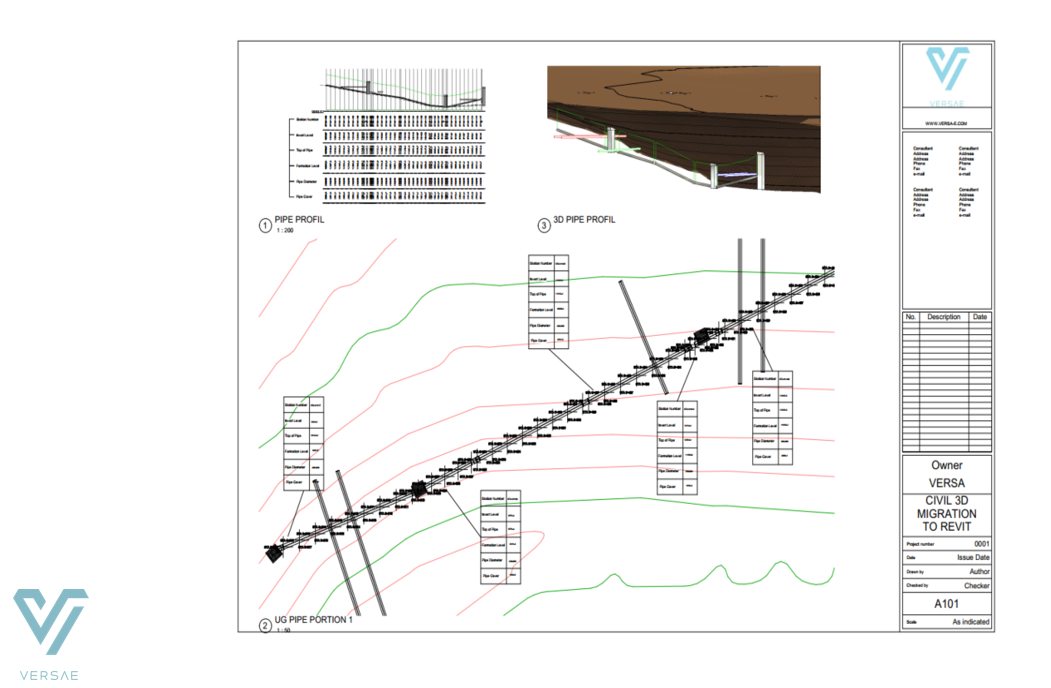
Stationing & Profiling
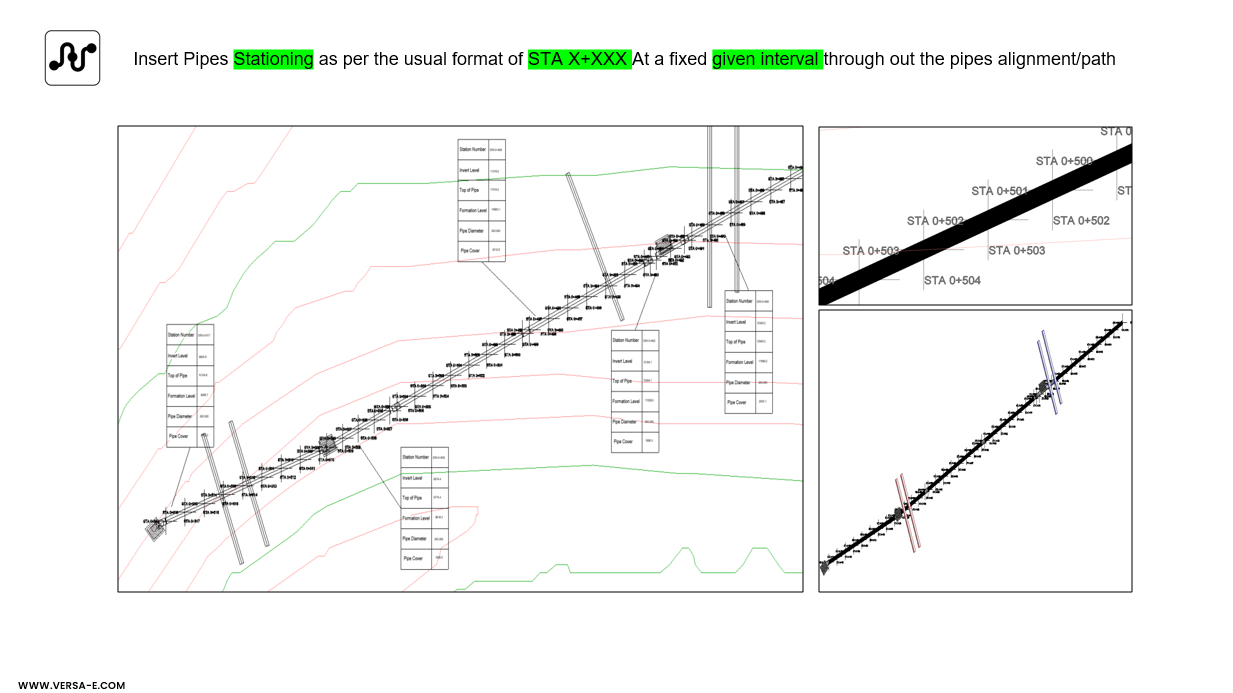
Insert Stations: Generates stations as per the user preferences following the pipe routing / corridor dynamically.
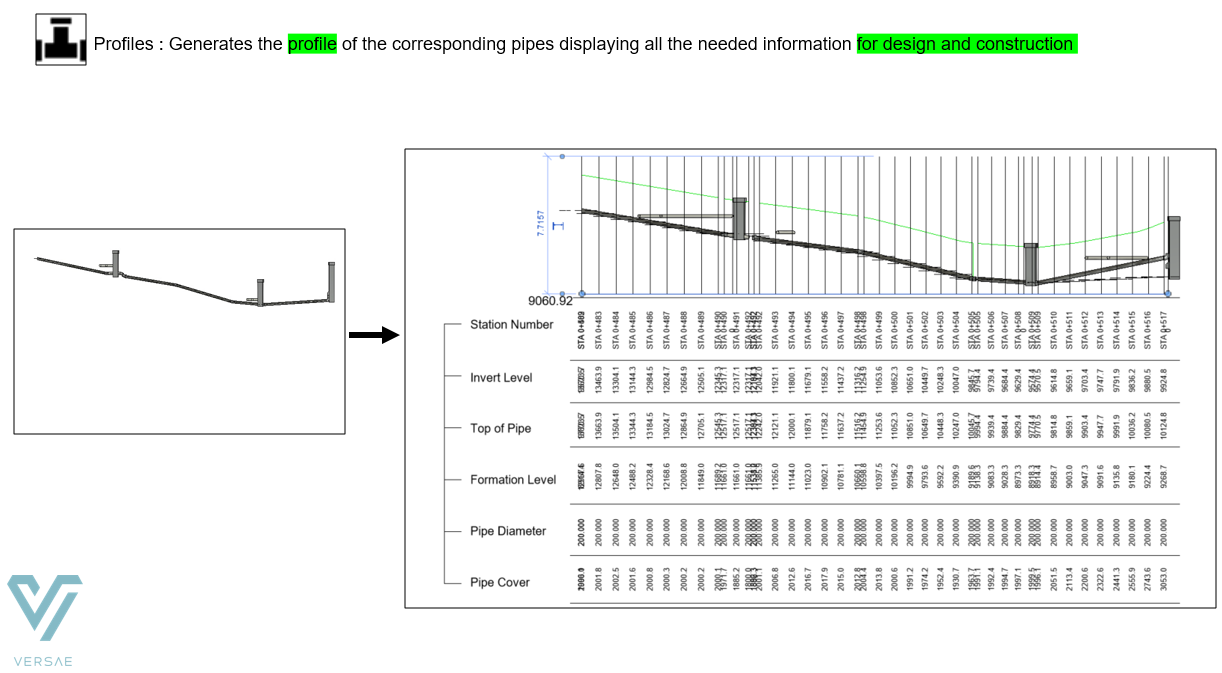
Profile Generation: Creates longitudinal profiles of pipe runs within Revit, including elevation and slope annotations.
Station-Based Annotation: Displays station markers and elevation checks directly in Revit views.
Dynamique Editing: Enables manual fine-tuning of pipe elevations and rooting while updating station references.
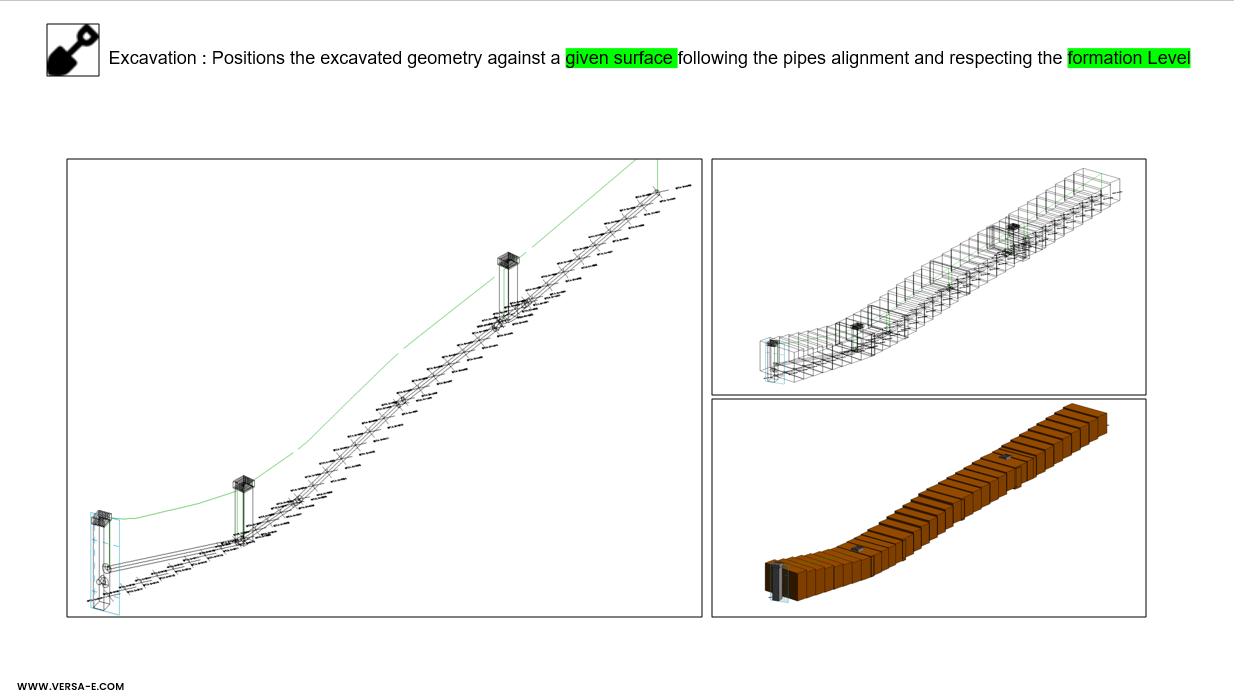
Excavation Modelling
Trench Geometry Creation: Generates excavation solids around pipe networks based on trench width, depth, and side slope parameters.
Volume Calculation: Computes cut/fill quantities for excavation and backfill, supporting cost estimation and scheduling.
Export Options: Allows exporting excavation solids for clash detection and coordination in Navisworks or other platforms.
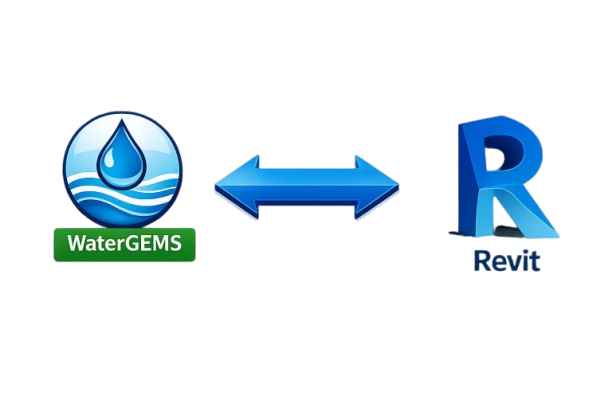
WaterGEMS Import & Export
Hydraulic Data Import: Imports WaterGEMS pipe network data (diameters, material, pressure zones, flow rates) into Revit. Preserves hydraulic parameters for accurate BIM representation.
Hydraulic Data Export: Exports Revit pipe network geometry and attributes back to WaterGEMS for hydraulic analysis. Supports iterative design: changes in Revit update WaterGEMS models dynamically.
Revit advantages for underground piping with Versa tools
10 times faster and Seamless collaboration and coordination